The Hub
Where you ask for changes. One per project, on the master bus.
The Hub is where you talk to False Audio. Put it on your master track and keep its window open while you work. It doesn't change the sound of your master.
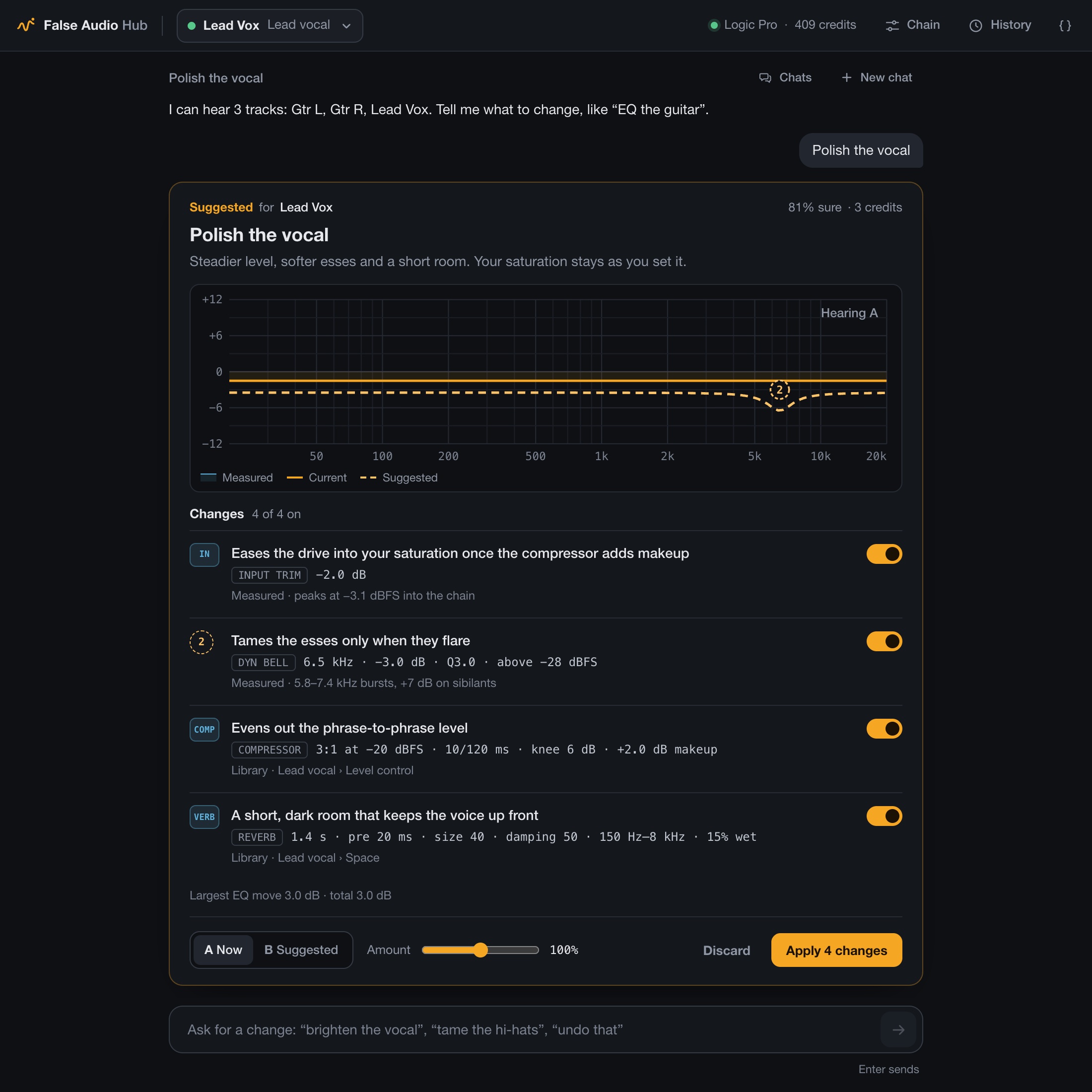
What's on screen
- Tracks (top left): every track with a Link, and whether it's hearing audio.
- Credits (top right): your balance. Open the menu here to buy more or sign out.
- Chain: what's switched on for the selected track.
- History: every change so far, each with its own Undo. More
- Chats: your conversations. Each project picks up where you left off.
- The box at the bottom: type here and press Return. The examples above it are a good place to start.
Which track you mean
Just say it: "the vocal", "the kick", "Gtr L". False Audio matches your words to track names and instruments. If it can't tell, like "the guitar" when you have two, it asks.
Clear track names help. "Lead Vox" beats "Audio 7".
The Chain view
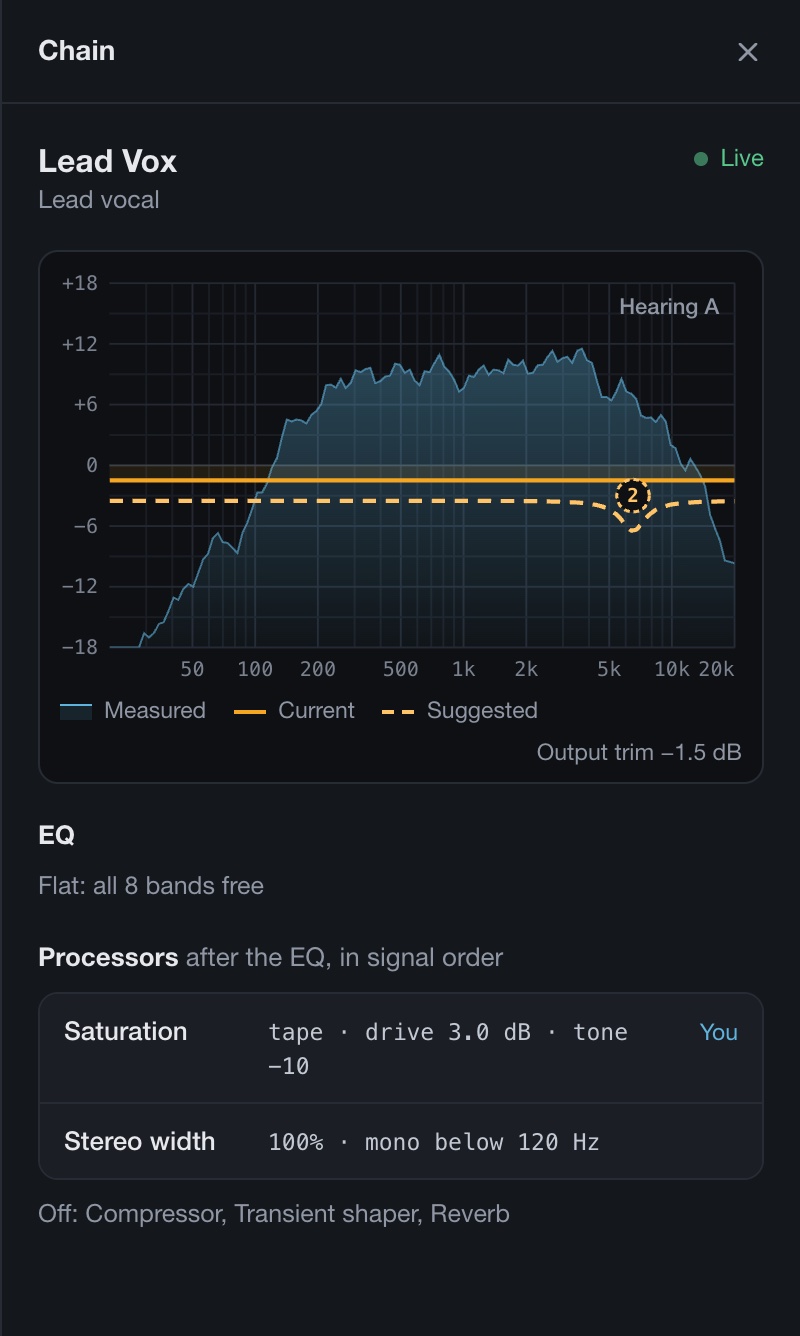
See at a glance what's on for a track. Anything tagged You is something you set yourself, and False Audio leaves it alone.
Good to know
- One Hub per project. Links find it by themselves.
- Two projects open? A Link may ask which Hub to use. Pick this project's one from the Link's header.
- Saved with your project, so History and Undo are still there when you reopen it.