Trying a change
How to read a suggestion, compare it with your mix, and keep it or not.
When you ask for something, False Audio comes back with a suggestion, or a quick question if it's not sure what you mean. Nothing in your mix changes until you press Apply.
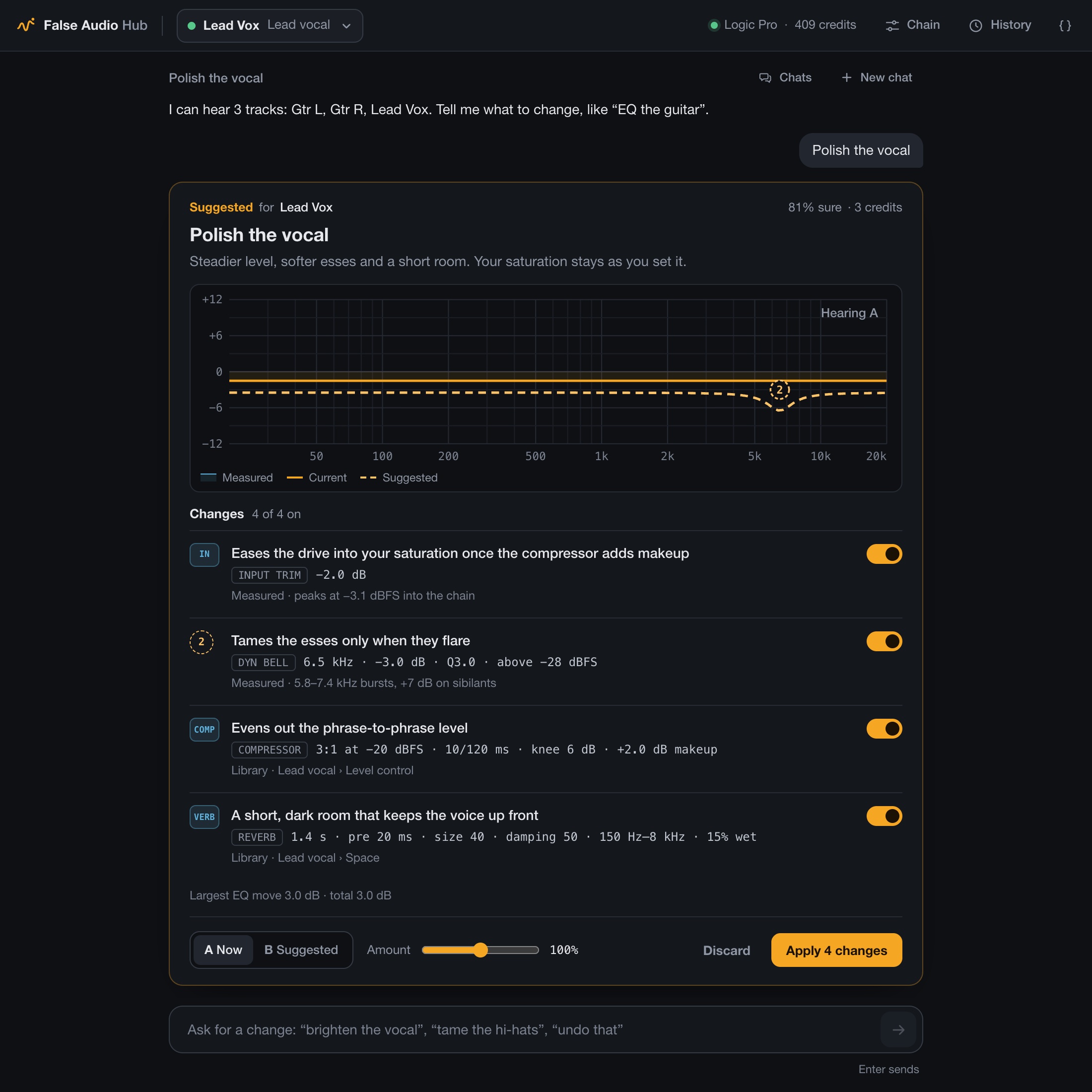
What the card shows
- What it's going for, in a line ("Polish the vocal").
- Each change, and why, like "cut 3 dB around 310 Hz: it's boxy there". Each has its own switch.
- What it cost in credits.
Listen first
While the song plays, switch between A Now (your mix as it is) and B Suggested. That's just a preview: nothing is kept yet.
Make it yours
- Amount takes the whole thing further or pulls it back, from 50% to 150%.
- Switches turn off any single change you don't want.
Keep it or not
Press Apply to keep it, or Discard to drop it. Applied changes save with your project, and you can undo them any time. Undo
Pressed Apply and heard no difference?
If you were listening to B, you were already hearing it. Press Undo to hear the before.
It won't go overboard
Changes stay gentle unless you ask for more. Say "a touch" for small moves, or "really cut the mud" to go further. Either way, False Audio won't make a track clip, and won't touch anything you've set yourself.
What it can't do yet
- Add sends, buses or delays
- Change your notes
- Move your DAW's faders, or plugins outside a Link